< TOOLS FOR NAVIS. Properties | TOOLS FOR NAVIS. Projects >
A comprehensive tool that allows you to check a model for the presence of properties, whether property values are filled, for intersections (Clash Detective), the presence of elements, etc.
Click on the SIGNAX PRO tab in the Project → Checker panel
The Checker window is divided into 3 areas: checks, rules, and results
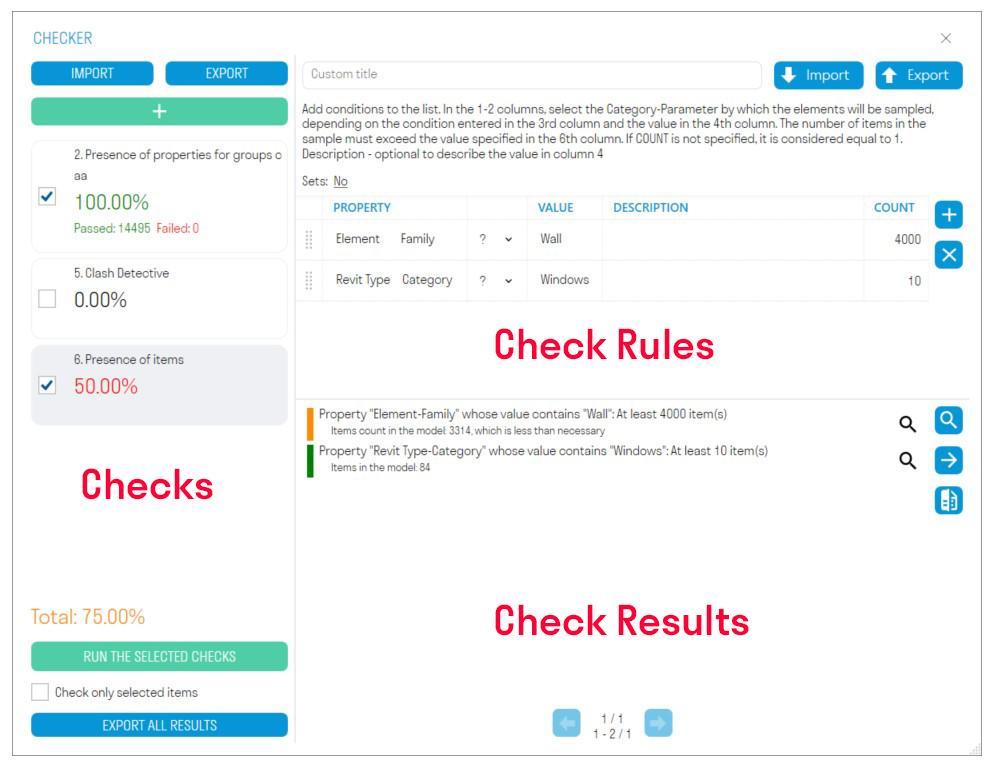
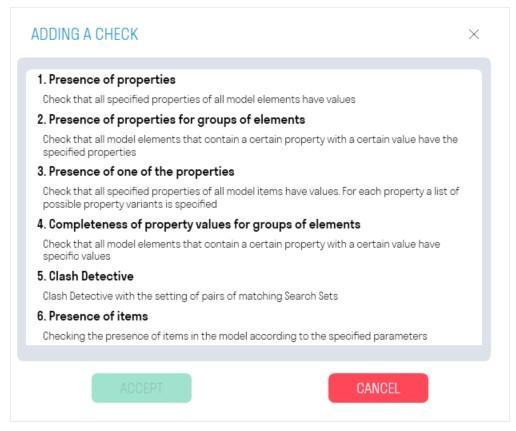
- Add one of the six checks by clicking .
- Add rules and run the check by clicking “RUN SELECTED CHECKS”.
- View elements with errors in the model to create notes. Export check results to Excel or XML. XML can be loaded into Revit to quickly find elements with errors and fix them. Compare results with the results of the previous check to see which notes were fixed.
This area displays the percentage of completed checks, the number of elements that passed and failed the check.
- Click “Add Check” to add one of the six checks
- “EXPORT” allows you to export all checks with their rules to XML. You can send this file with checks to your colleagues.
- “IMPORT” allows you to upload an XML file with checks.
- “RUN SELECTED CHECKS” runs the check next to which there is a check mark.
- “Check only selected elements” radio button allows you to check only the elements selected in the model
- “EXPORT ALL RESULTS” allows you to download the results of all checks to a single Excel file, which can be shared with colleagues to correct elements that did not pass the check
In this area, you can create the rules according to which the check will be performed.
- “EXPORT” allows you to export validation rules to an Excel file. This file can be supplemented with rules and loaded back into Checker or sent to colleagues.
- “IMPORT” allows you to upload an Excel file with validation rules.
This area displays the validation results as element names and a description of the reason why the elements failed validation.
- Click “Select All” to select all elements in the model that failed validation.
- Click next to the result to select one or a group of elements in the model that failed validation.
- Click “Group Results” to group the check results by repeating element names and result descriptions. This will reduce the number of items in the list and make it easier to identify elements in the model that failed the check.
- Click “Export Results” to export the check results in Excel or XML format. The XML can be loaded into Revit using the “Check Result” command, allowing you to see which elements require correction. After correcting the comments, you can also compare this XML with the new results using the “Compare” command.
- Click “Compare” and load the XML file with the results of the previous check to see which comments have been resolved.
Checks if the value of the check property is filled in. Suitable for checking properties that must be filled in for all model elements.
For example, let's check that the "Classifier Code" property is filled in for all elements
Add the property as a "Category-Property" pair and run the check.
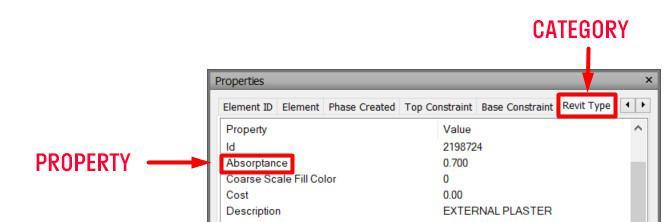
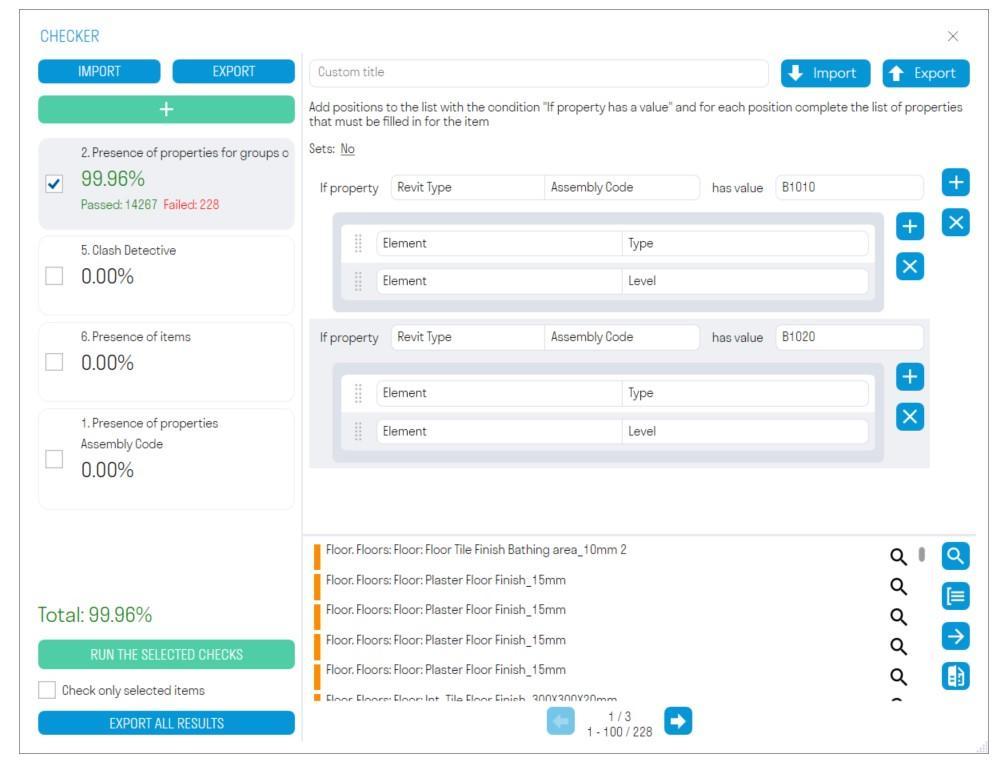
Checks that all model elements that contain a conditional property with a certain value have their validation properties populated. (In this context, a conditional property is a property that specifies an initial condition: If the “Category” property has the value “Walls”. Validation properties are properties that are checked for having a populated value.)
For example, let's check that elements with the classifier code “E2.4.2” and “E2.3.1.1” have their “Floor” and “Building” validation properties populated.
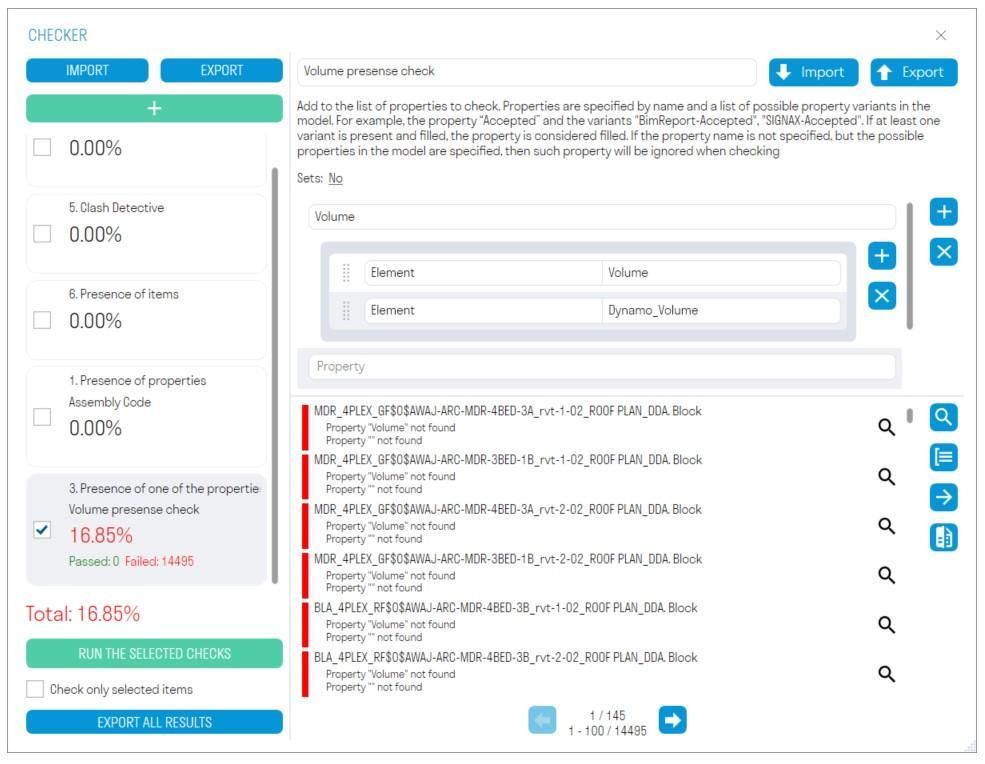
By default, the check will be run on all elements of the model, or on the selected ones, if this is specified before running.
It is more convenient to create rules for this check in an Excel spreadsheet:
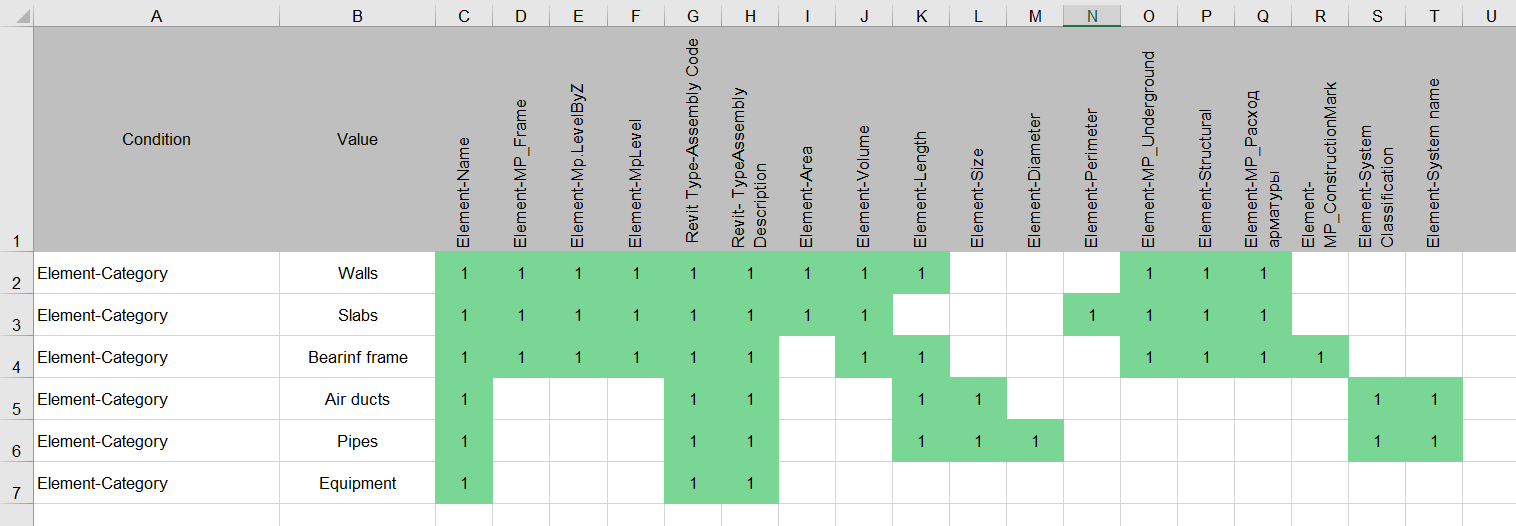
- In column A (Rule), list the conditional properties as a “Category-Property” pair, separated by a hyphen, without spaces, and in column B (Value), specify the values for these conditional properties.
- Next, in row 1, starting with column C, list the check properties as a “Category-Property” pair, separated by a hyphen, without spaces.
- Then fill in the cells in the matrix with any values, for example, “1” to link the check property to the conditional property.
- Thus, it turns out: “If the “Category” property has the value “Walls”, then check the “Name”, “MP_Body”, etc. properties for completeness.”
You can also check by other conditions, for example by the Classifier Code
Templates can be downloaded from the following links:
Checks whether the value of the check property is filled in, while a separate list of possible property options is specified for each check property. For example, when the volume can be in the properties "Volume", "Volume", or "Dynamo_Volume". If at least one of the options is present in the element and filled in, then the check property is considered filled.
For example, let's check that the "Volume" property is filled in for all elements
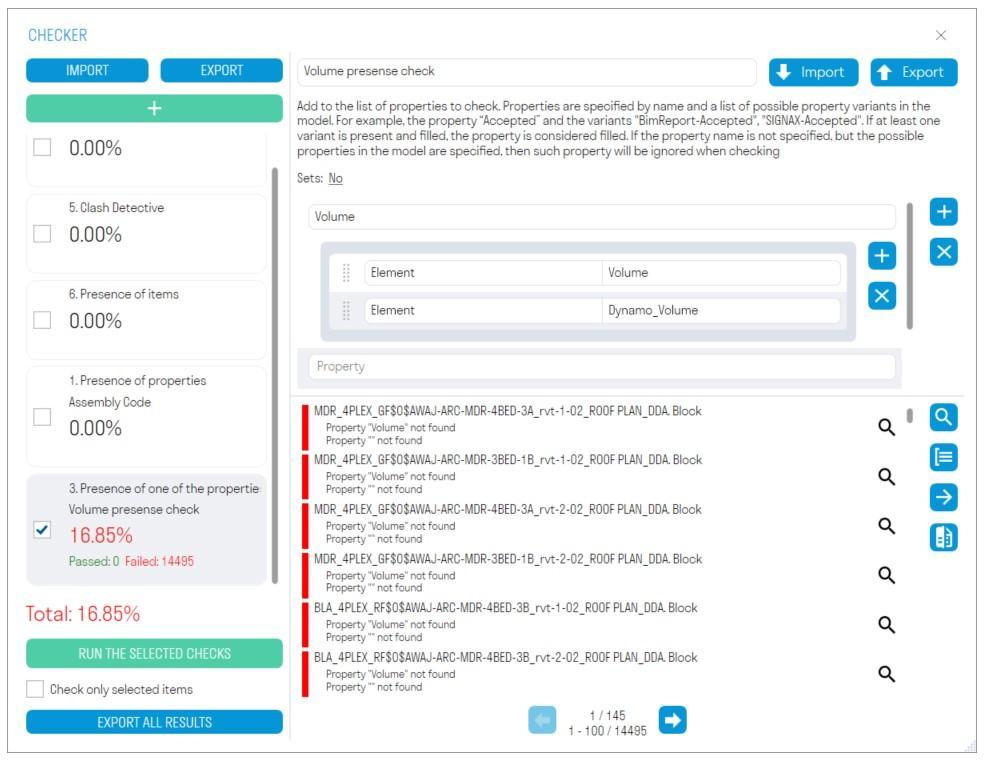
Add the property and to it a list of possible options where this property can be specified in the element. Properties are specified as a Category-Property pair
Checks that all model elements that contain a conditional property with a specific value have the validation properties with the specific value.
For example, let's check that elements with the conditional property "Category" set to "Walls" have the check property "Thickness" equal to "0.200"
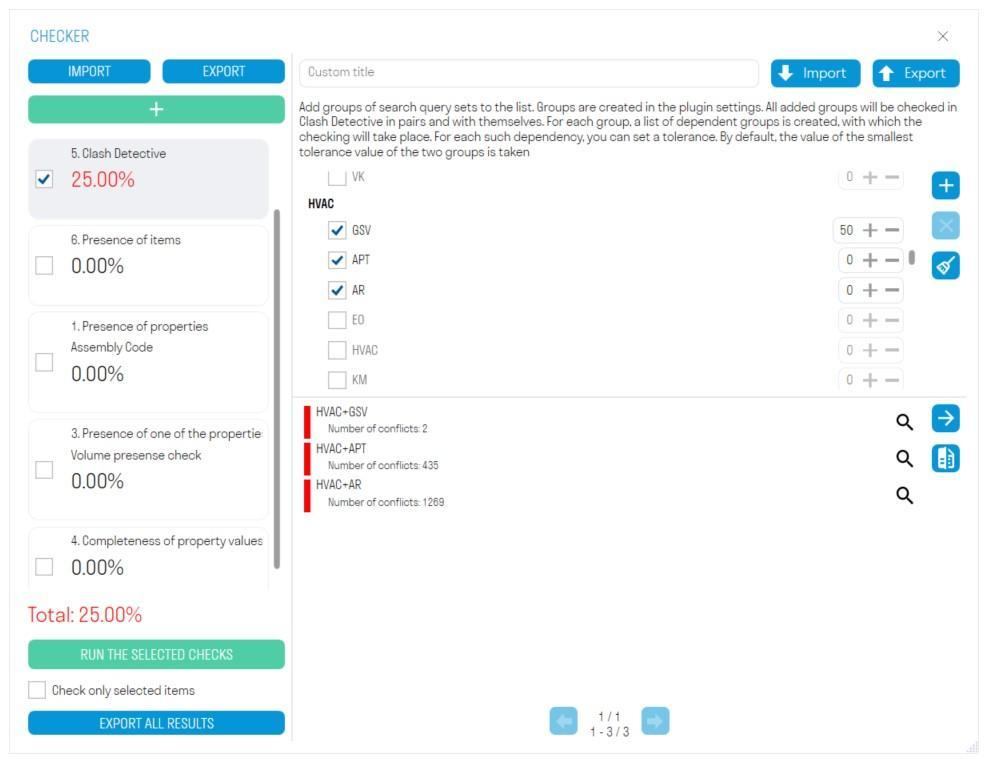
- Add the conditional property as a "Category-Property" pair and the value of this property.
- Add the check property as a "Category-Property" pair and the value that this property should have.
Checks created search sets for intersections. You can check elements for intersections with other elements or for self-intersections.
Create search sets with elements using the “Standard” command that you want to check for intersections.
- In the SIGNAX settings, create "Set Groups" , and add PNs with elements to them.
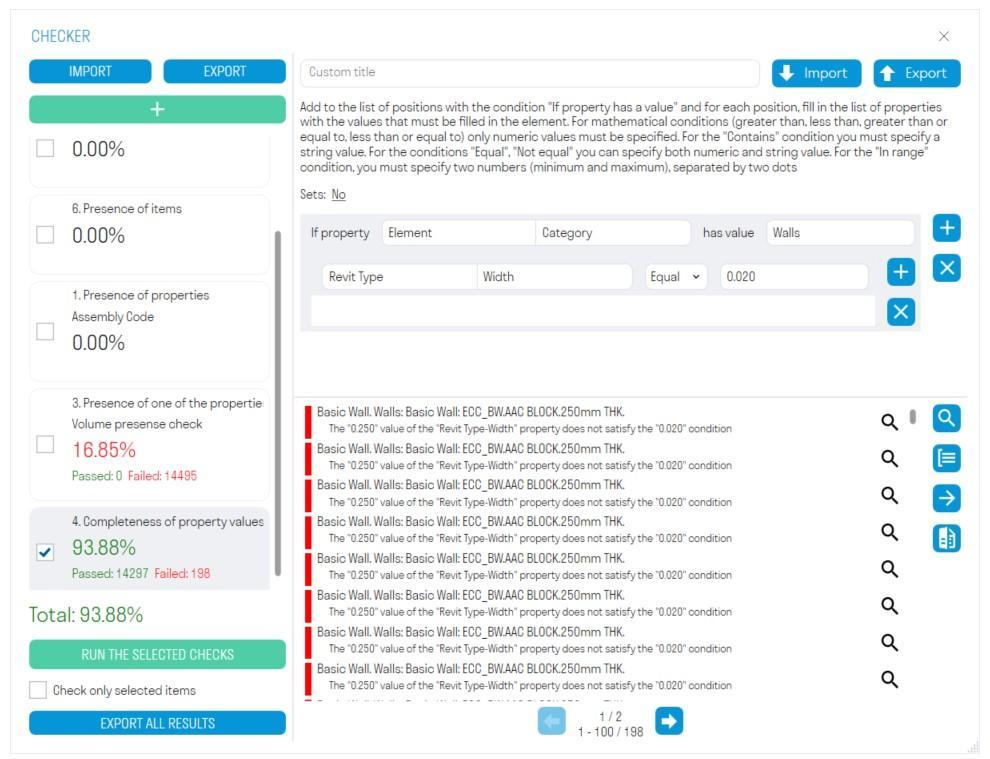
- Add set groups created in the SIGNAX settings. To do this, click , select the groups and click “OK”.
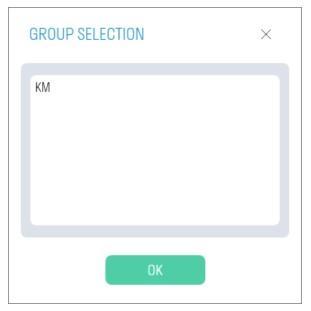
- Check the groups you want to check for intersections and run the check. For example, shafts between themselves, shafts with horizontal structures, horizontal structures between themselves.
- If necessary, set the intersection tolerance in mm.
Checks the presence of elements in the model according to the specified properties.
For example, let's check that the number of convectors in the model is 1050 pieces.
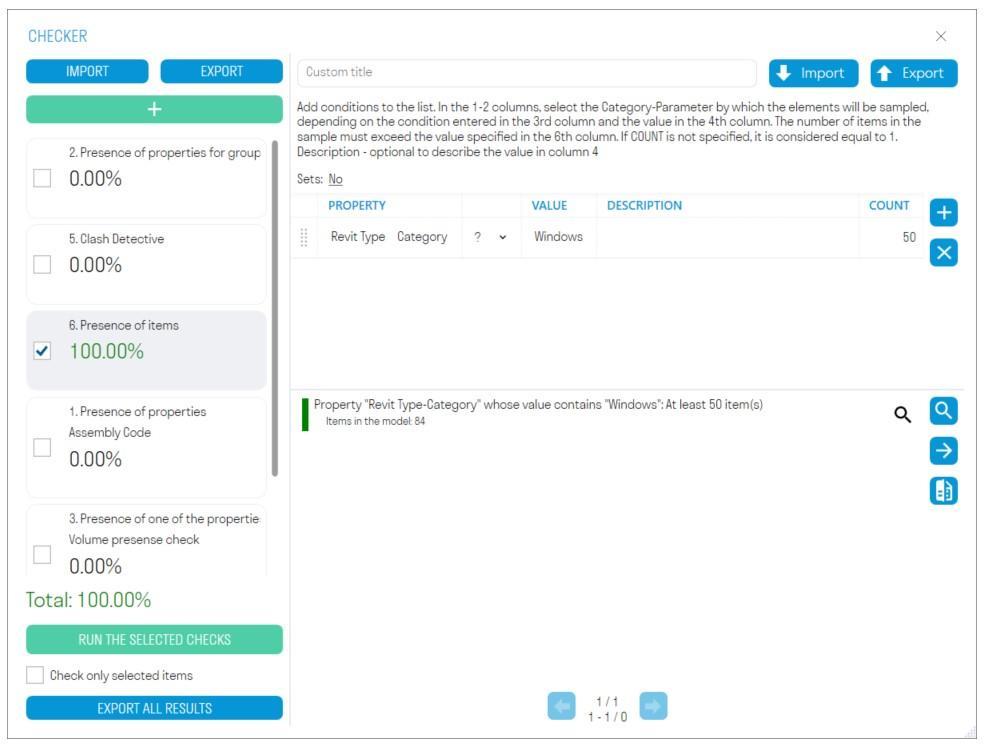
- In the “Property” column, write the property that specifies the elements as a “Category-Property” pair.
- In the “Value” column, write the value of the validation property.
- In the “Description” column, you can add a description to the property.
- In the “Quantity” column, write the number of elements that should be in the model.


