< DASHBOARD. Cards 30. Deadlines | DASHBOARD. Cards 50. 3D cards >
40_Volume Completion Percentage - the card shows the degree of completion of the object's work volume as a percentage: plan/actual/remaining. For example, you can visualize the overall percentage of completion of the work volume for the entire object or the percentage of completion for a specific type of work.
Displaying the card in user mode
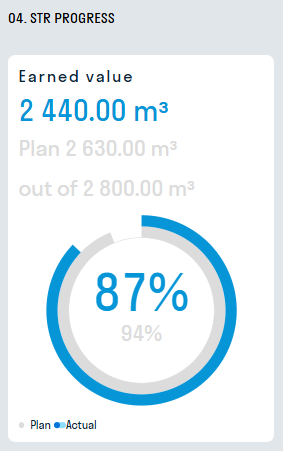
Card setup similar to 20_Percentage of funds utilized
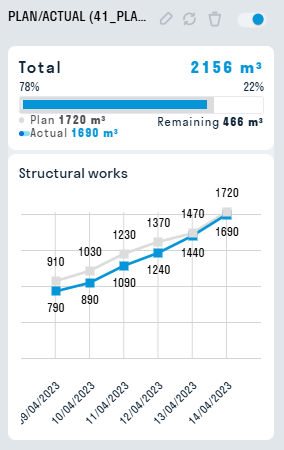
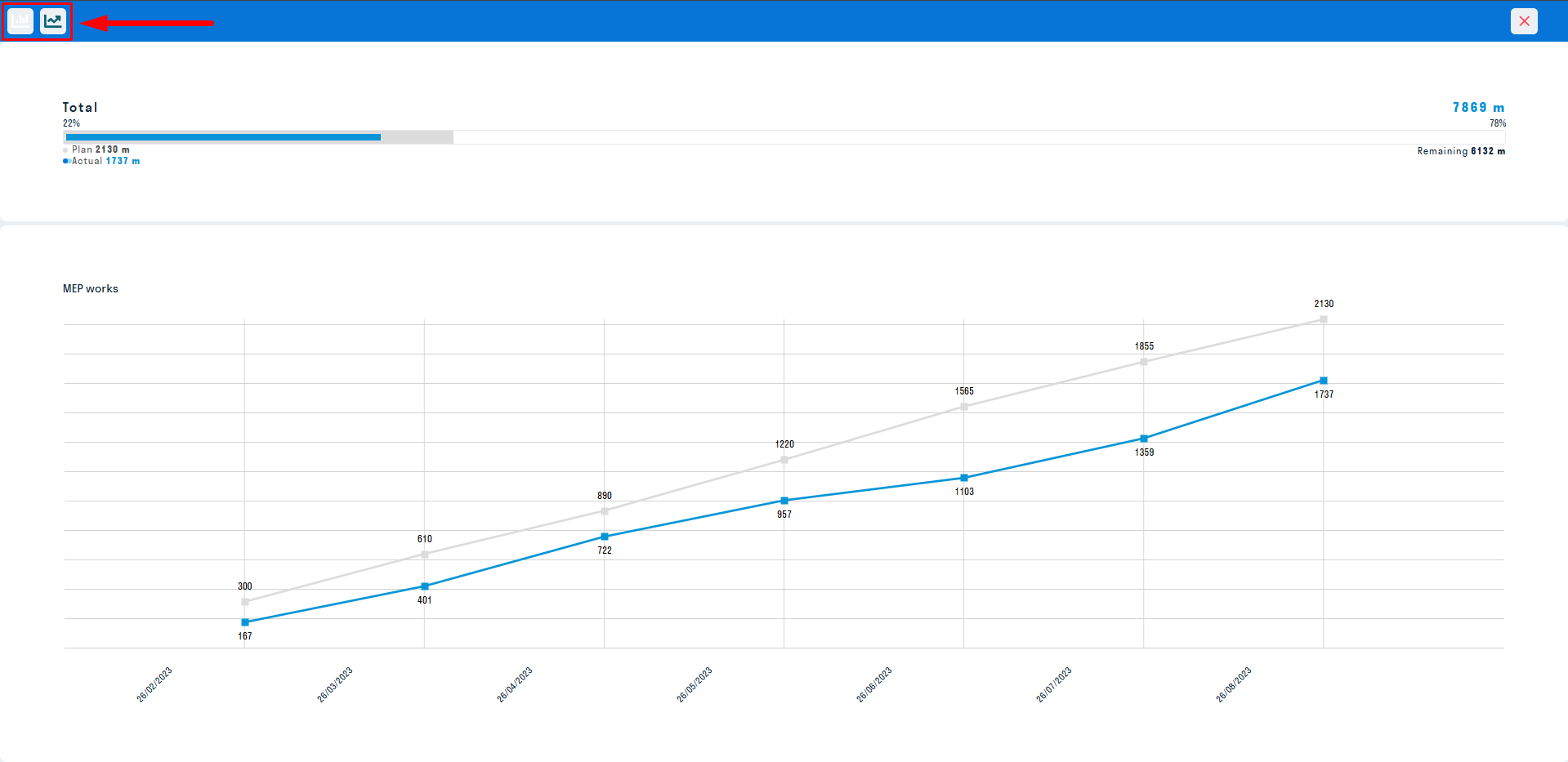
41_Plan-actual volumes card for displaying the planned and actual volume of work performed.
Displaying the card in user mode
¶ Card setup
1. Filling in general data for the card
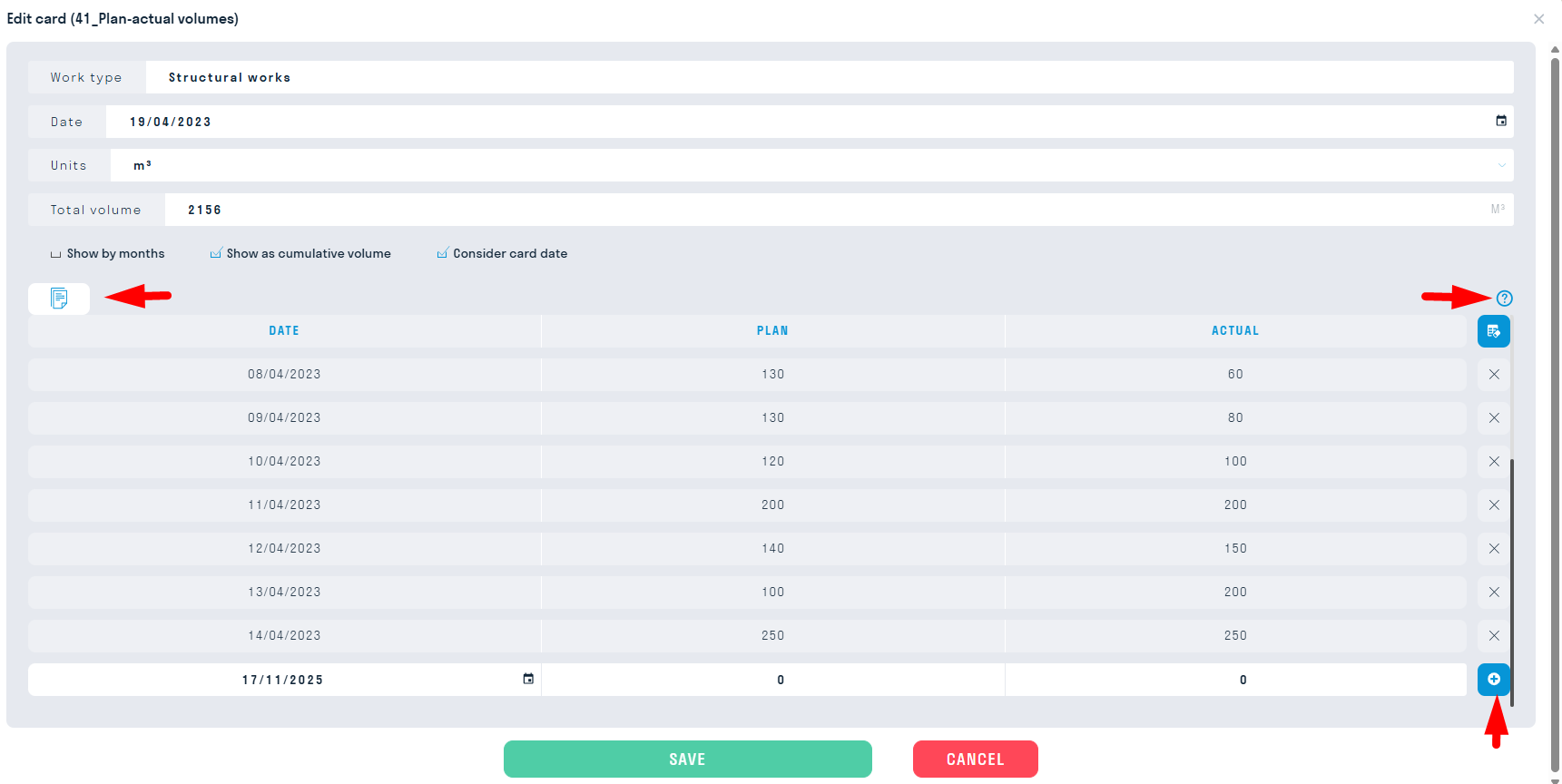
- In the “Type of work” field, add the type of work related to this card
- In the “Date” field, add the report date
- In the “Unit” field, select the units of measurement from the suggested ones
- In the “Total volume” field, enter the total volume for this type of work
- Select the display of the general view of the card by checking the appropriate boxes: “Display by month”, “Display as cumulative volume”.
Data on the planned and actual volume for a specific date can be added manually or using Excel tables.
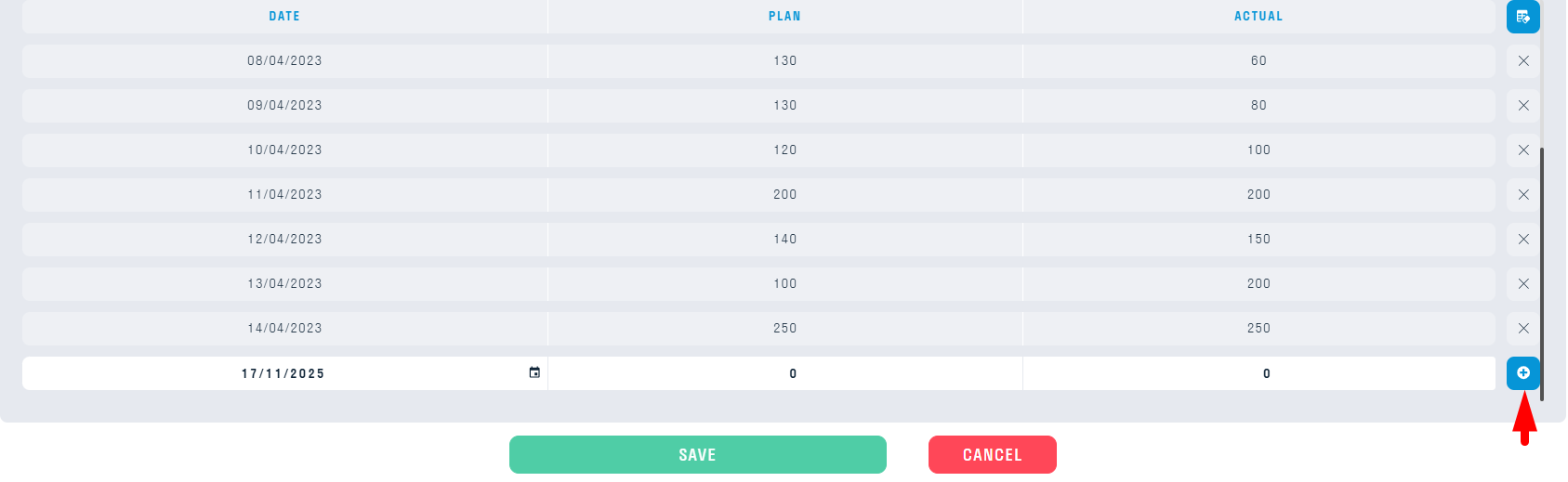
2. Filling out the card manually
Fill in the “Date”, “Plan”, “Actual” fields and click “+” to add the filled-in line. The added line can be edited by clicking on it.
3. Filling out the card using Excel
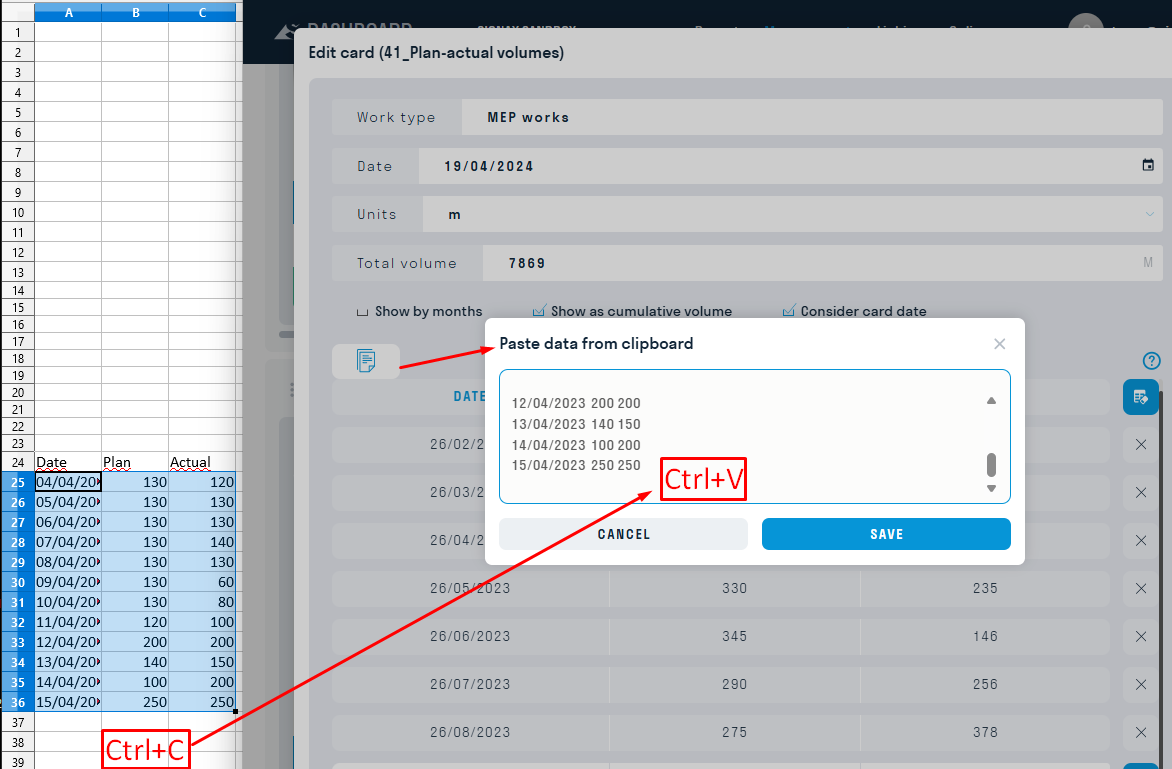
- Click the “Insert data” button and copy the data from Excel into the card using the key combination Ctrl+C and Ctrl+V
¶ Using the card
Inside the card there is a graph reflecting the entered information.
42_Plan-Actual-Issues card for displaying the planned and actual volume of work performed, as well as the volume of work performed with comments on the quality of execution.
Displaying a card in user mode
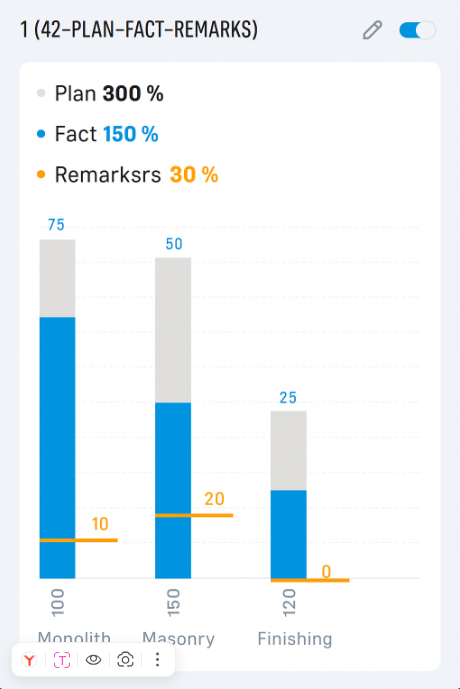
Card settings are similar to 41_Plan-fact by volume
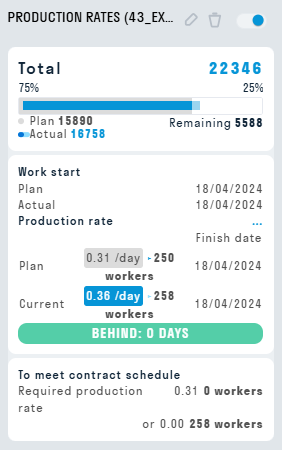
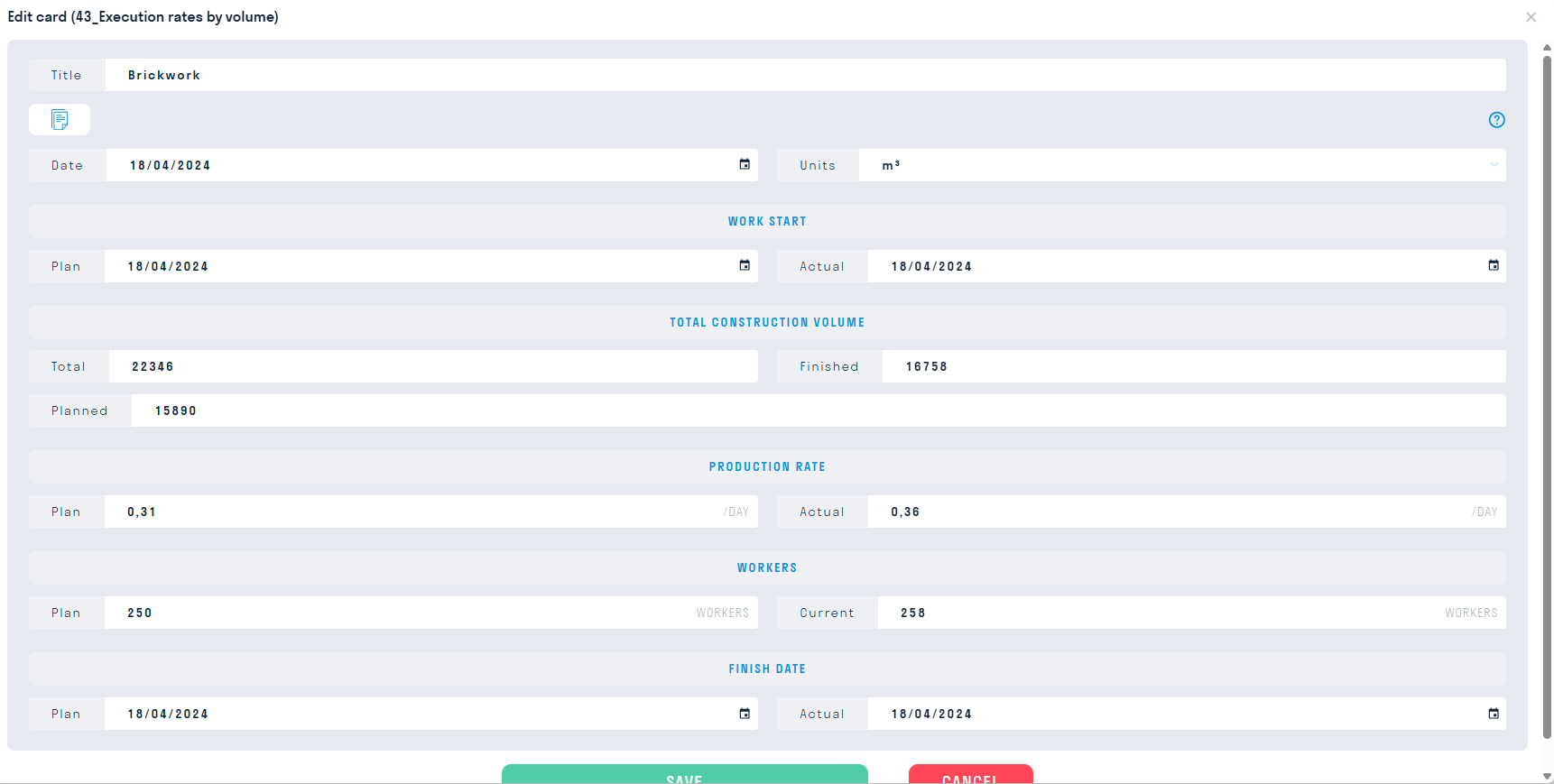
43_Execution rates by volumes - a slide showing the output for a specific type of work, plan/actual, in m3/day per person. The "For on-time completion" block in the card automatically calculates how many people are needed for the same output, and what the output should be for the same actual number of people. Excel template .
Displaying the card in user mode
¶ Setting up the card
Fill in the fields according to the project data.
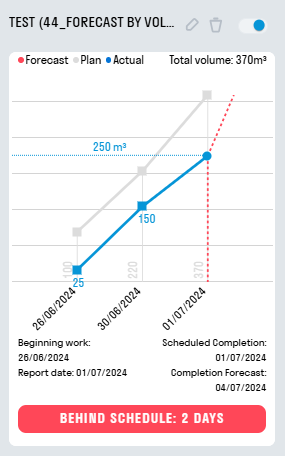
44_Forecast by volume - the card is designed to forecast the volume of execution and the completion date of work based on the monthly pace of work execution, and also calculates the number of days ahead/behind.
Displaying a card in user mode
¶ Setting up a card
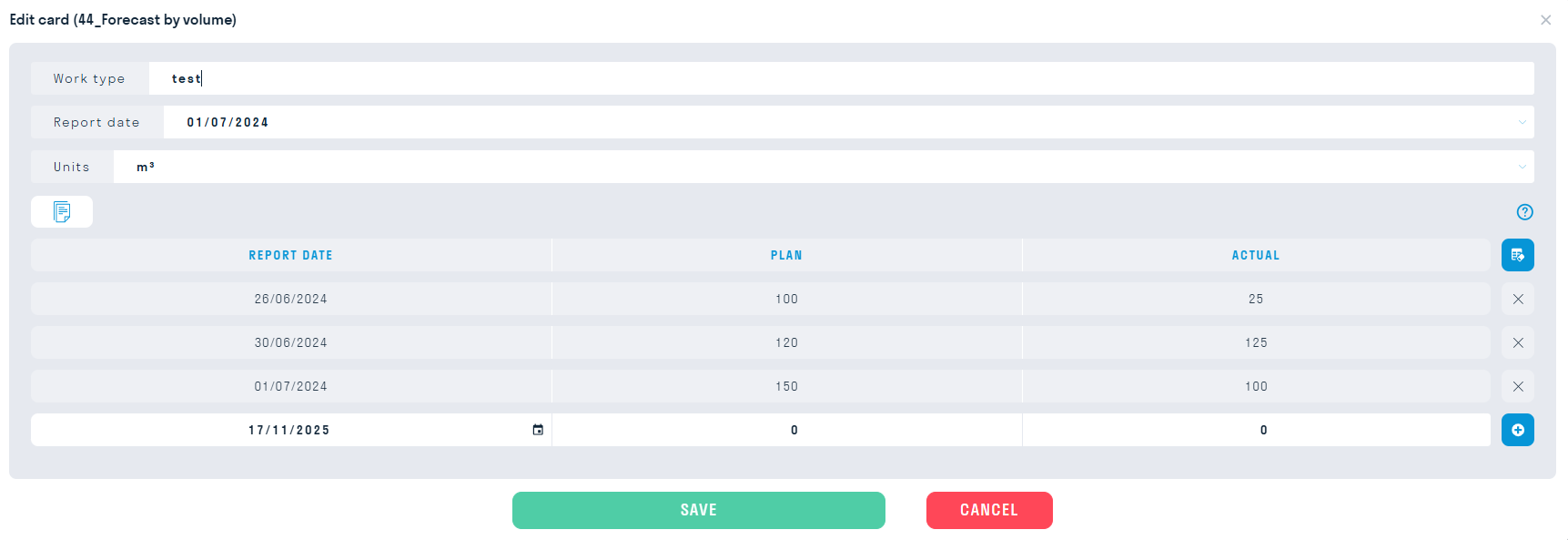
Setting up a card similar to 41_Plan-fact by volume
45_Plan-actual-forecast volumes - forecasting the completion of work:


< DASHBOARD. Cards 30. Deadlines | DASHBOARD. Cards 50. 3D cards >