< DASHBOARD. Cards 20. Money | DASHBOARD. Cards 40. Volumes >
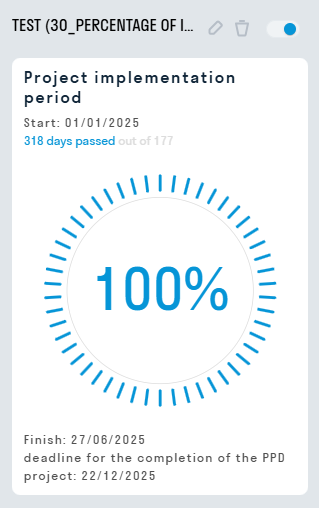
30_Percentage of implementation period - the card shows basic information on the project implementation period: the start and end of work, the deadline for the delivery of the object, how many calendar days in total the implementation of the object will take, and how many calendar days have passed since the start of work.
Displaying a card in user mode
¶ Setting up a card
1. Basic settings
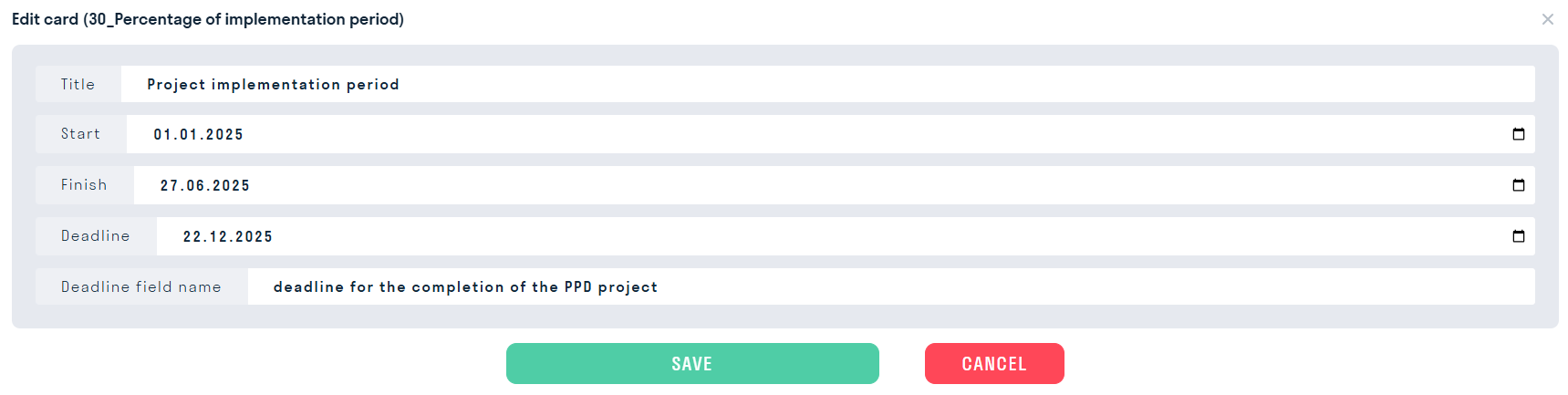
- In the “Title” line enter the name (not displayed on the card cover)
- In the “Start of work” line indicate the start date of the work
- In the “End of work” line indicate the end date of the work
- In the “Delivery date” line indicate the date of delivery of the object
- In the “Name of the delivery date field” line, if necessary, enter the name of what is planned to be delivered on the appointed date, for example, “Delivery date of apartments under the DDU”. If the field is left empty, the card will display “Due Date:” by default.
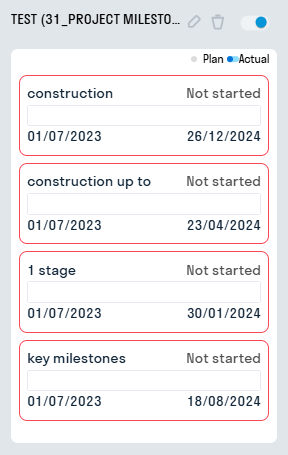
31_Project Milestones shows the percentage of work completed in the form of milestones. An XML file from MS Project is used as the source data.
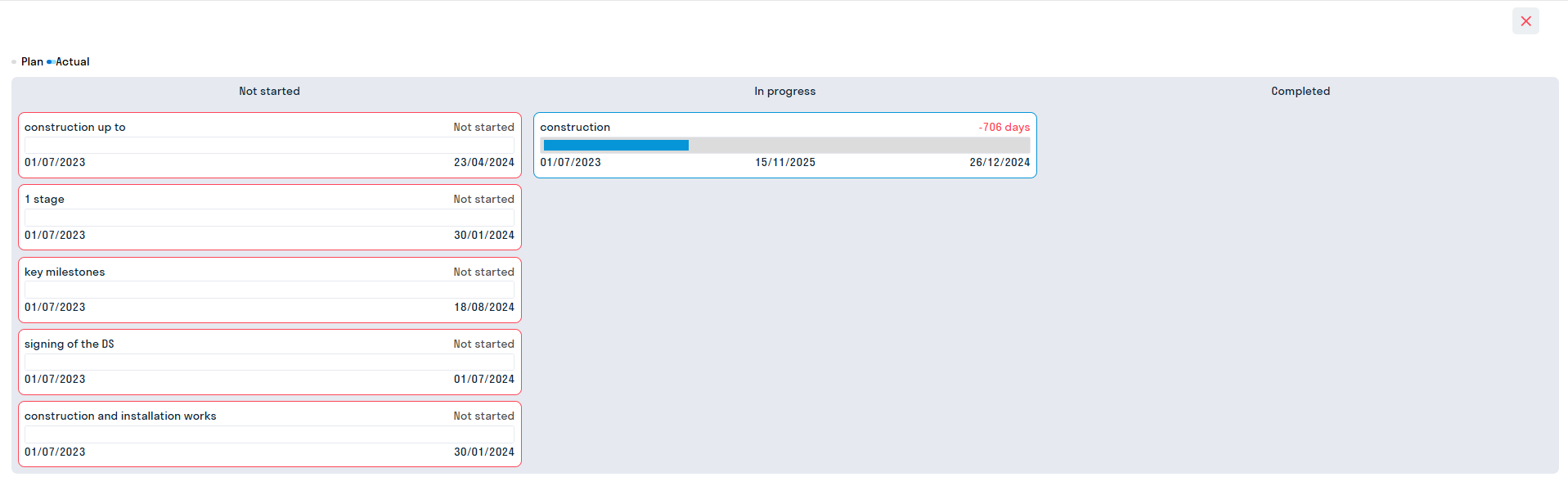
32_Graph Excel shows the percentage of work completed by milestones with the ability to view the milestone graph. An Excel or XML file from MS Project is used as the source data.
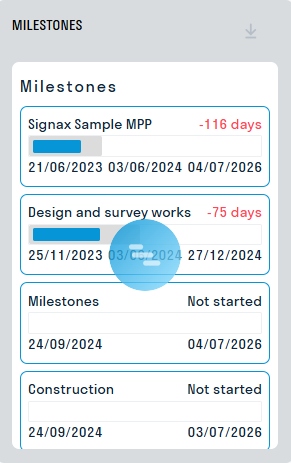
To open the chart, click on the milestone.

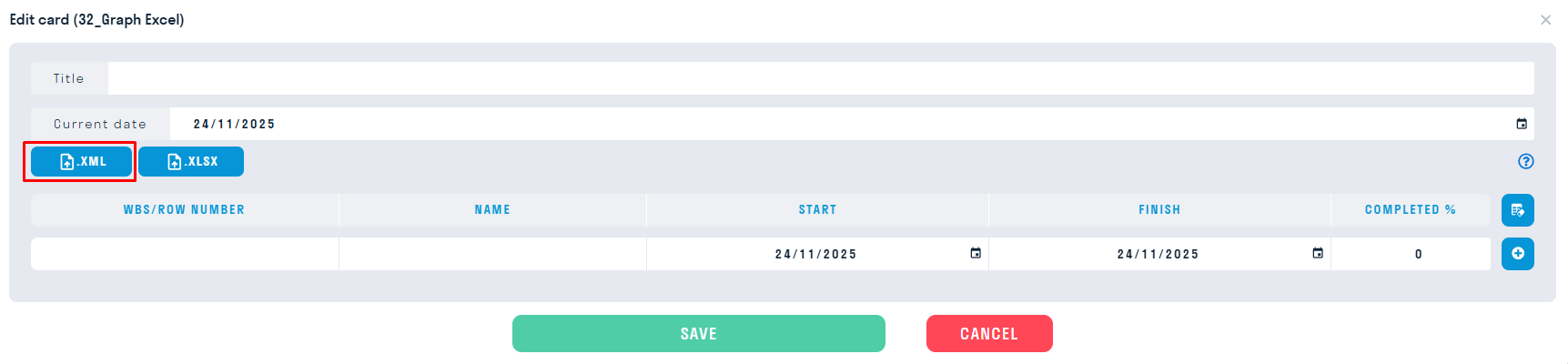
Import XML
Fill in the “Title” and “Current date” fields
Click on import XML, select a file from your computer, the data will be loaded into the required columns automatically.
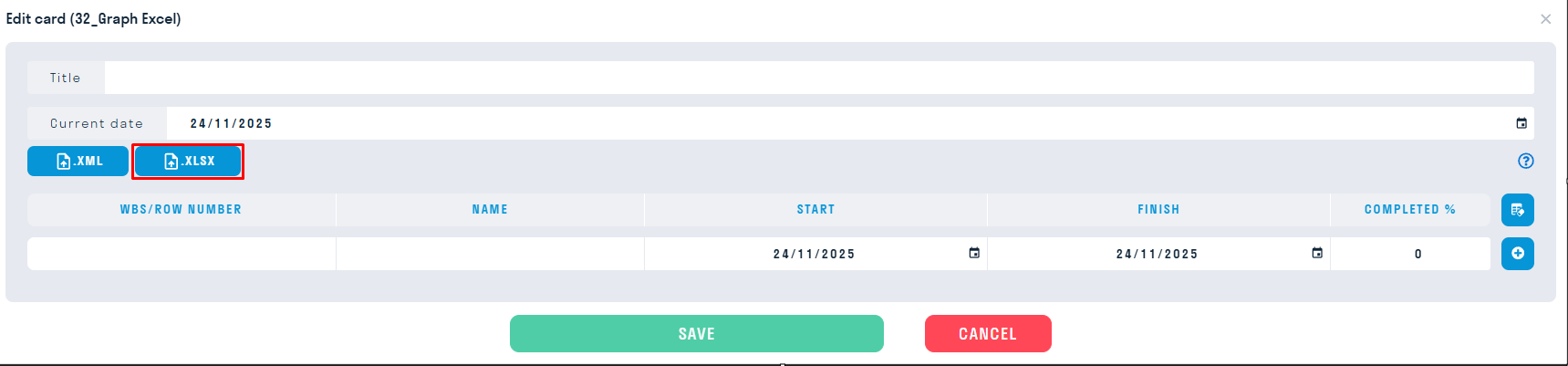
Excel Import
In Excel, create a table according to the table format from SIGNAX, fill in the data.
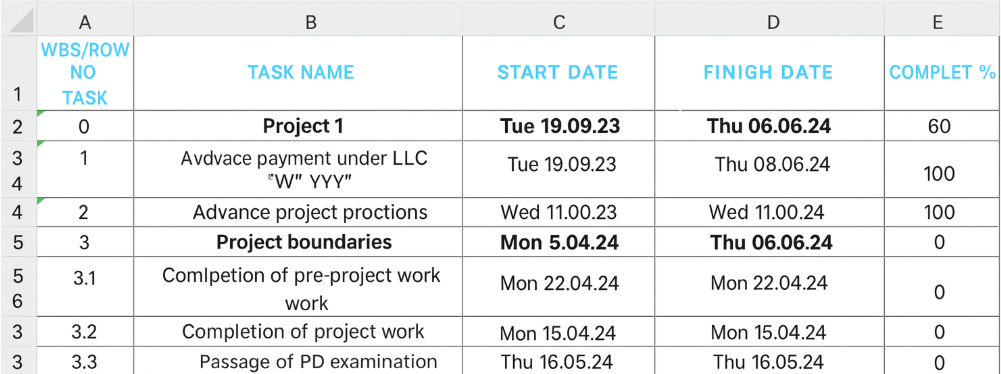
Fill in the “Title” and “Current Date” fields.
Click on import XLSX, select the file from your computer, the data will be loaded into the necessary columns automatically.
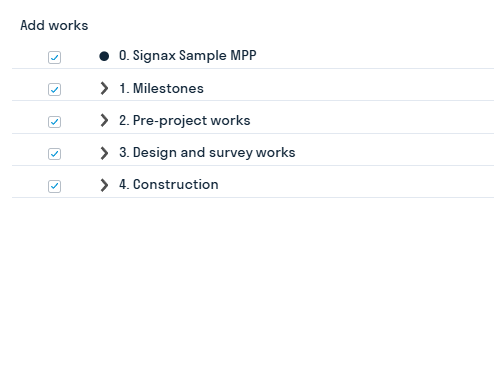
In the window that opens, check the boxes next to the required milestones and types of work to display
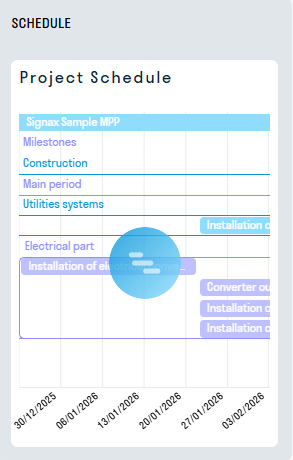
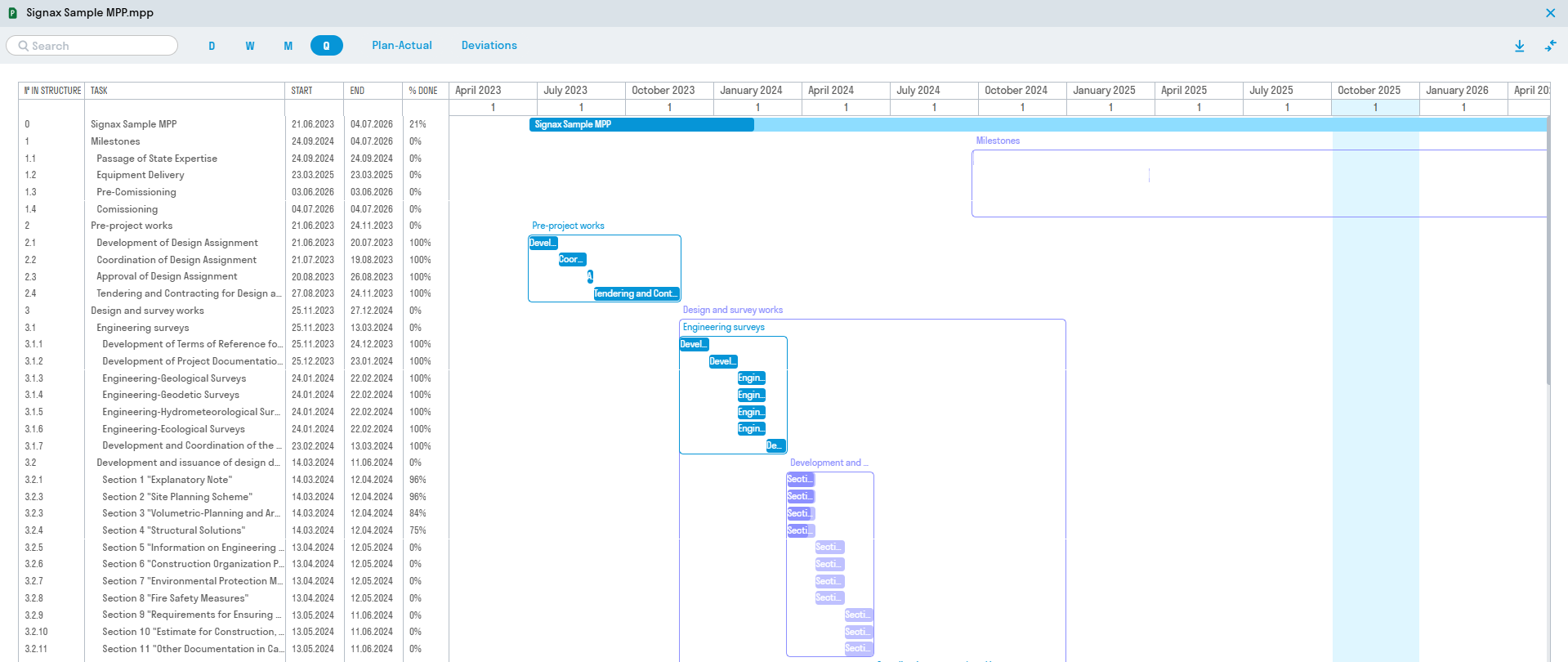
33_The MPP Chart shows the percentage of work completed as a chart. An MPP file from MS Project loaded into the SIGNAX DOCS system is used as the source data.
¶ Setting up a card
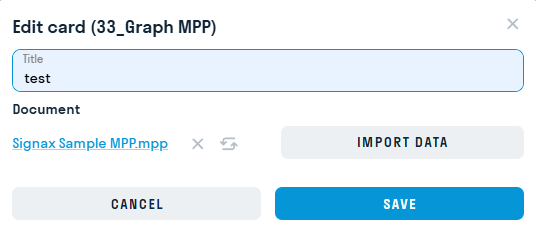
In the card settings mode, fill in the "Title" field, then select a .mpp file from SIGNAX DOCS and click "Import data".
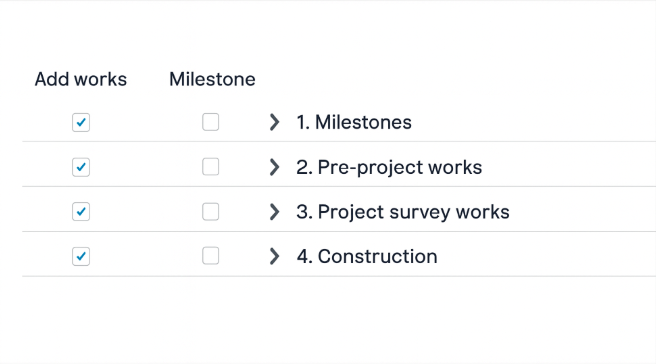
In the next window, select the works you want to display on the card.
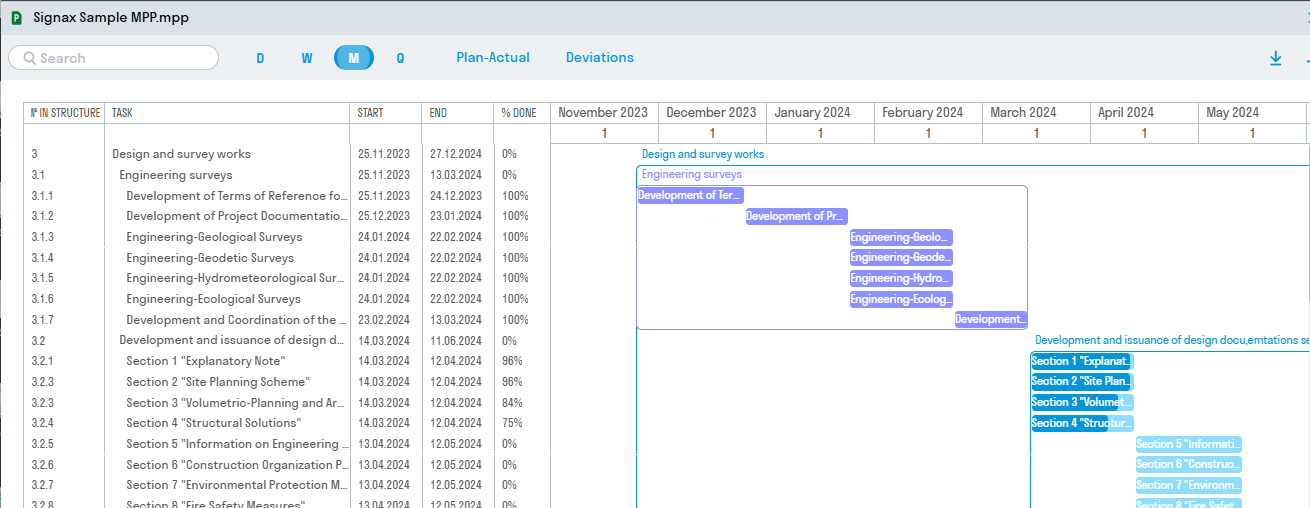
34_Graph MPP with Milestones shows the percentage of work completed with the possibility of failing to meet the schedule. The source data is an MPP file from MS Project loaded into the SIGNAX DOCS system.
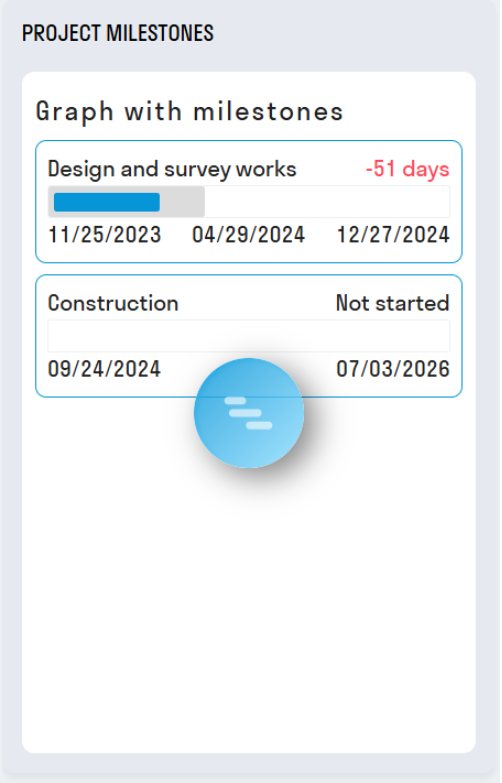
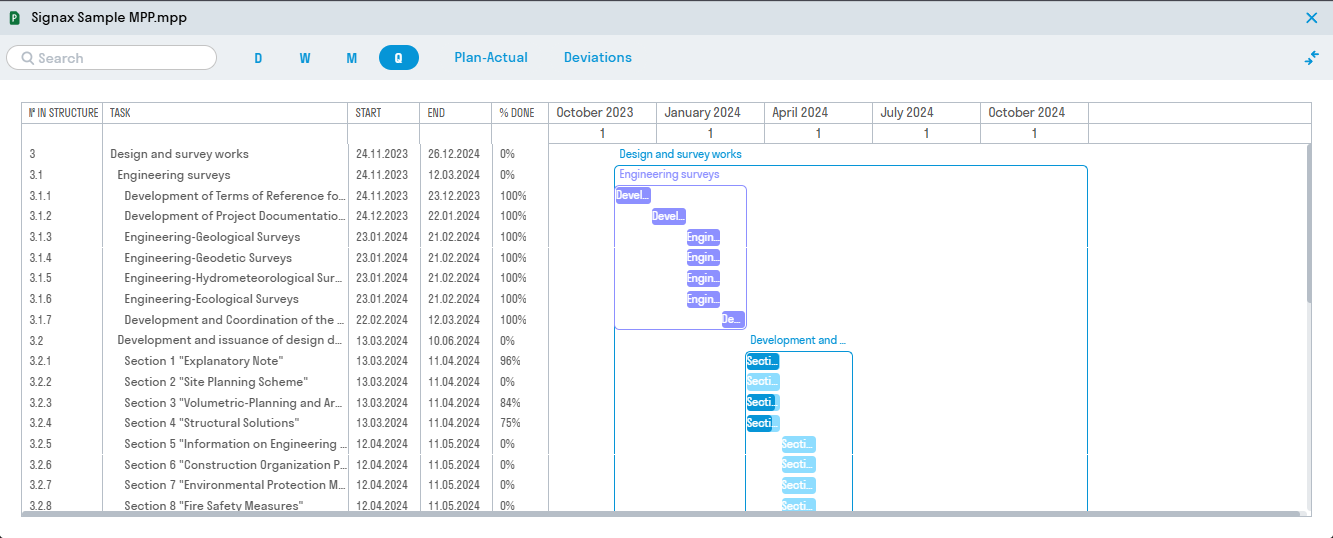
To open the chart, click on a milestone.

< DASHBOARD. Cards 20. Money | DASHBOARD. Cards 40. Volumes >