< DASHBOARD. Cards 10. General | DASHBOARD. Cards 30. Deadlines >
20_Percentage of money spent - the card shows the degree of cash utilization of the facility as a percentage: plan/actual/remaining. For example, you can visualize the overall percentage of cash utilization for the entire facility or the percentage of utilization for a specific type of work.
Displaying the card in user mode
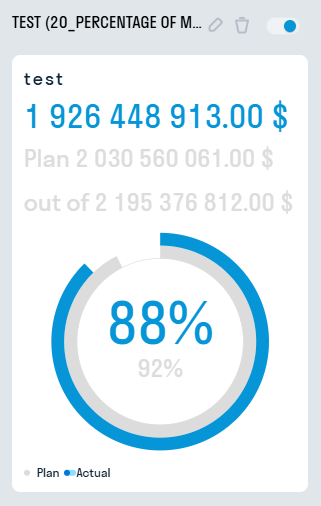
- Entire circle - entire amount of funds (100%)
- Blue semicircle - actual development
- Gray semicircle - planned development
¶ Setting up the card
1. Basic settings
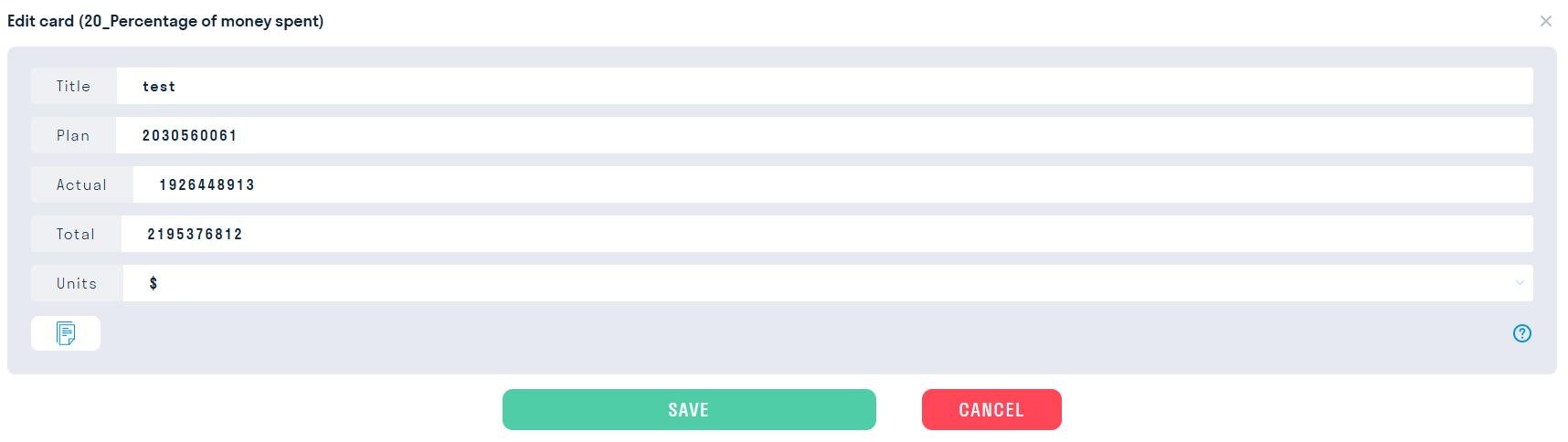
- In the “Name” line enter the name of the object/contractor or type of work for which you want to display the percentage of funds developed.
- In the “Plan” line enter the planned development.
- In the “Actual” line enter the actual development.
- In the “Unit” line enter the unit of measurement for display.
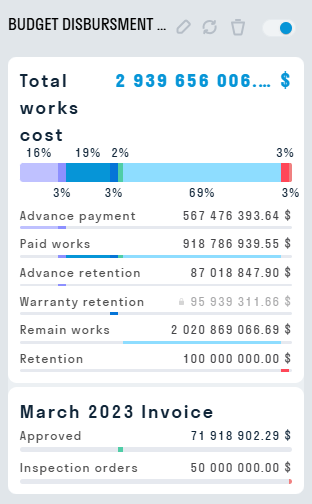
21_General cumulative by money - the card displays the construction budget planning: payment for accepted structures, withheld money, advance payment information.
Displaying the card in user mode
¶ Setting up the card
1. Filling out the card manually
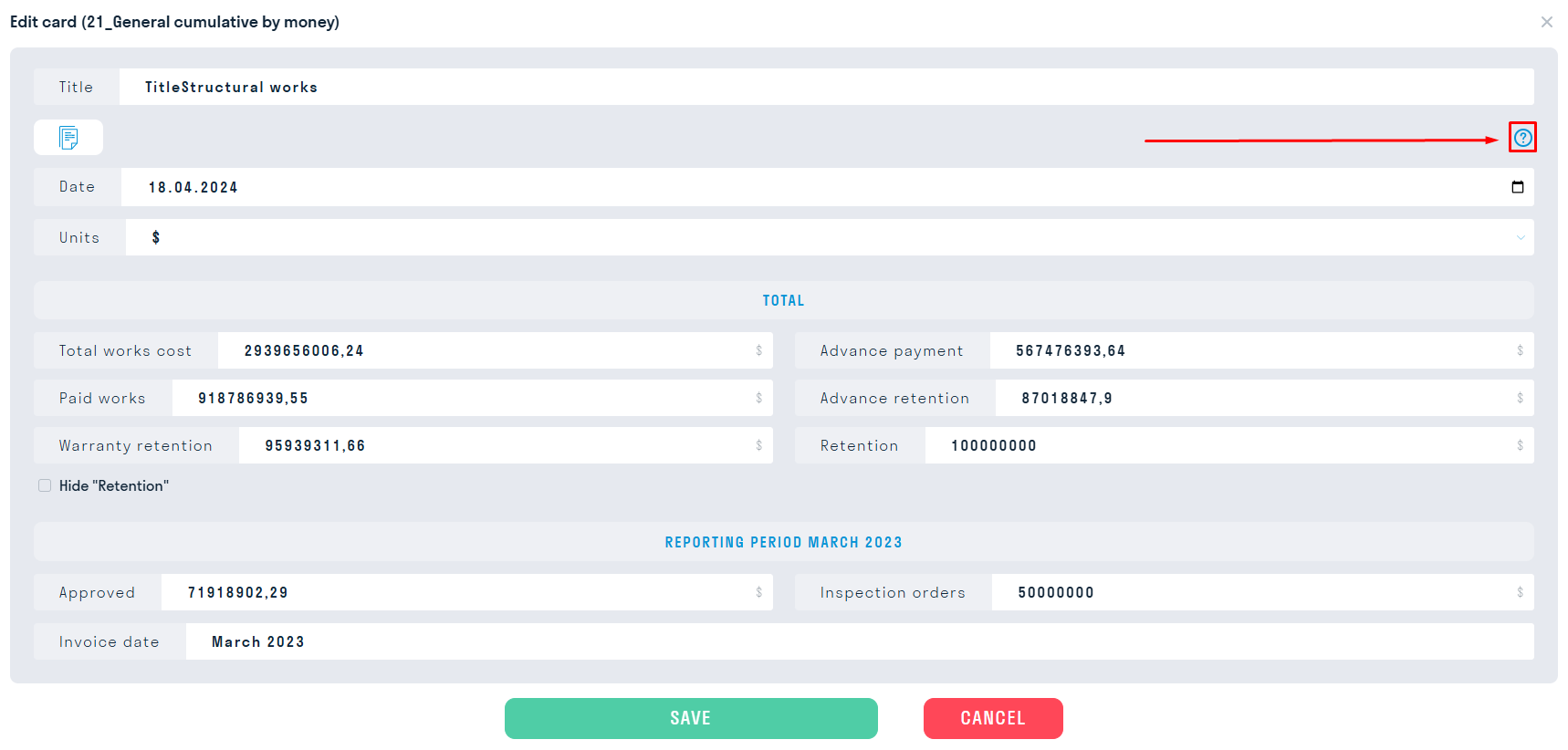
- The “Hide Withheld by Orders” switch hides the “Withheld by Orders” field in the card
2. Filling out the card using Excel
- Open an example of filling out this card by clicking on , and download it in Excel format by clicking on the “Export” button
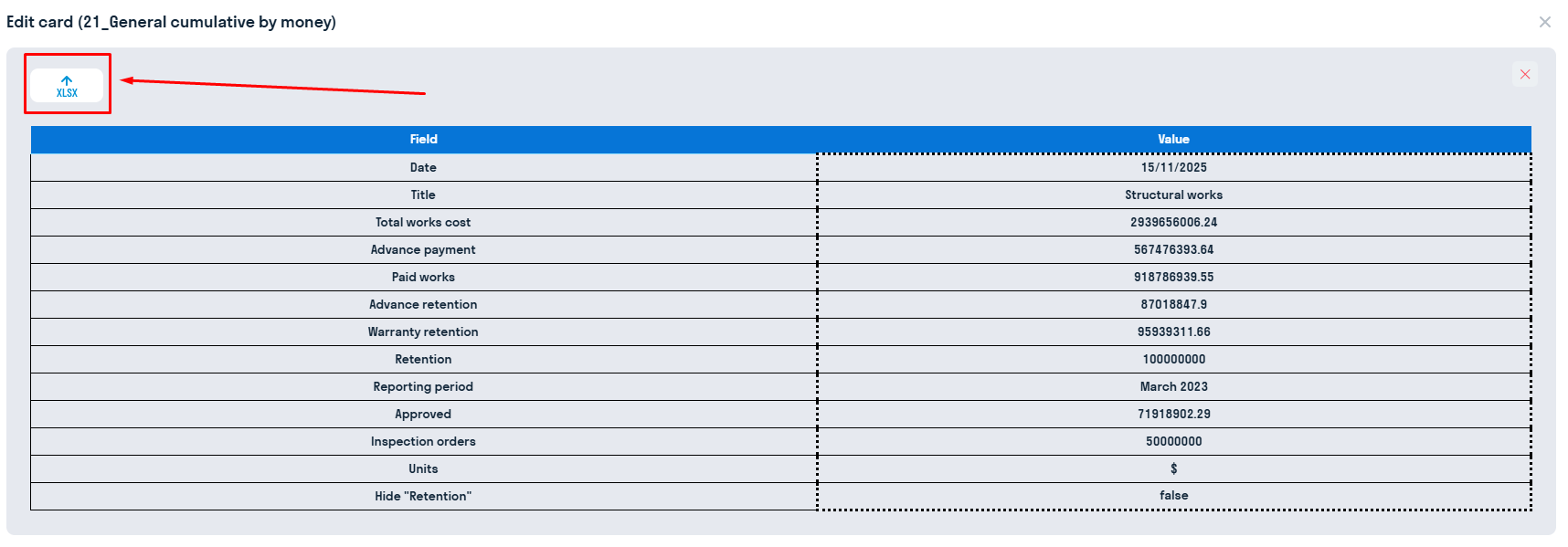
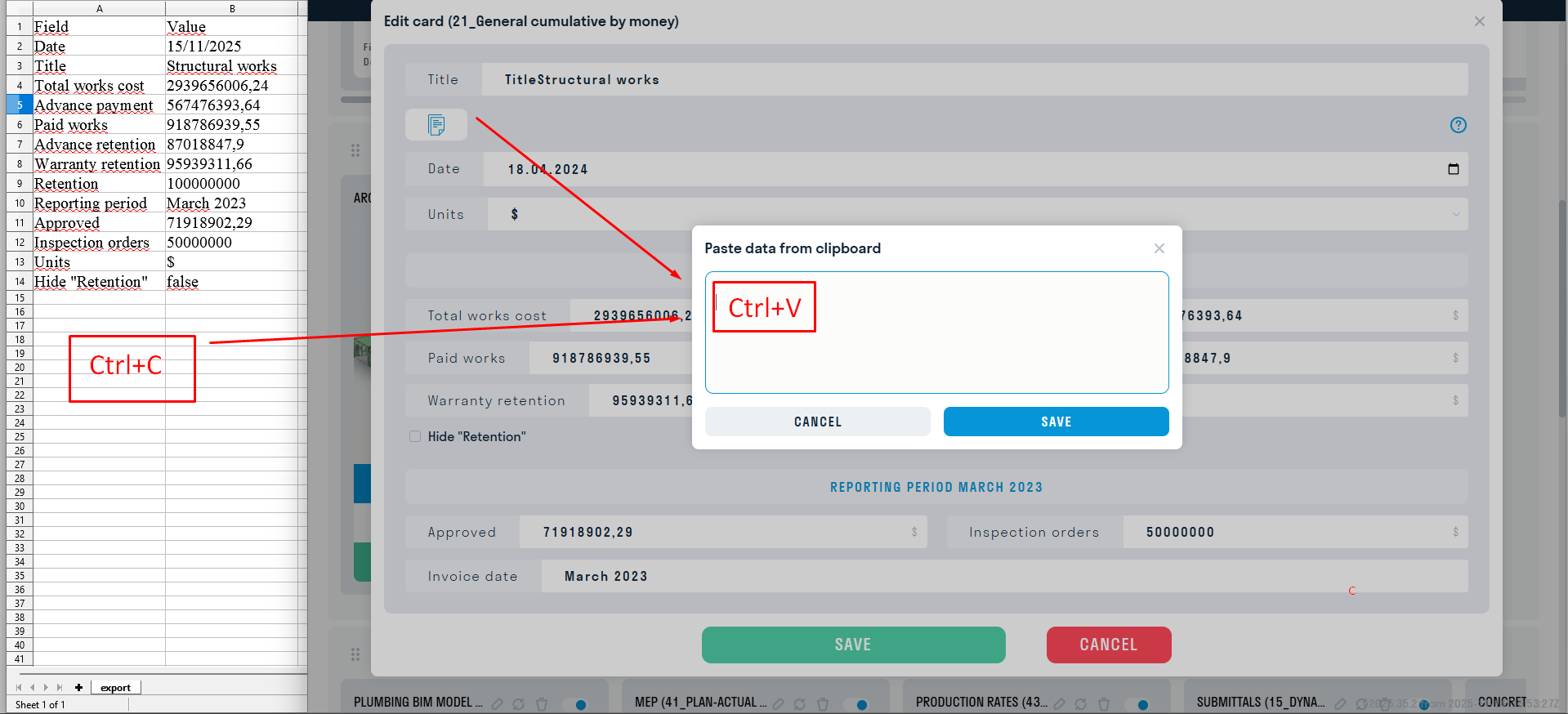
- Fill out the Excel table in accordance with your project
- Click the “Insert data” button and copy the data from the “Value” column to the card using the keyboard shortcut Ctrl+C and Ctrl+V

22_Mastering money by month - visualization of data on how much was actually paid and/or planned.
Template: Money by month
Displaying the card in user mode
In the report viewing mode:
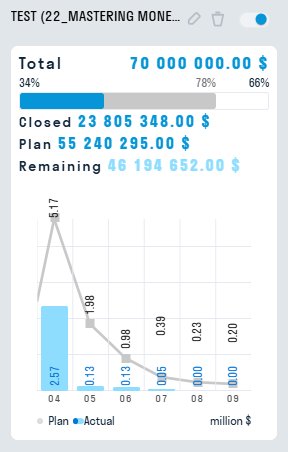
When opening the card:
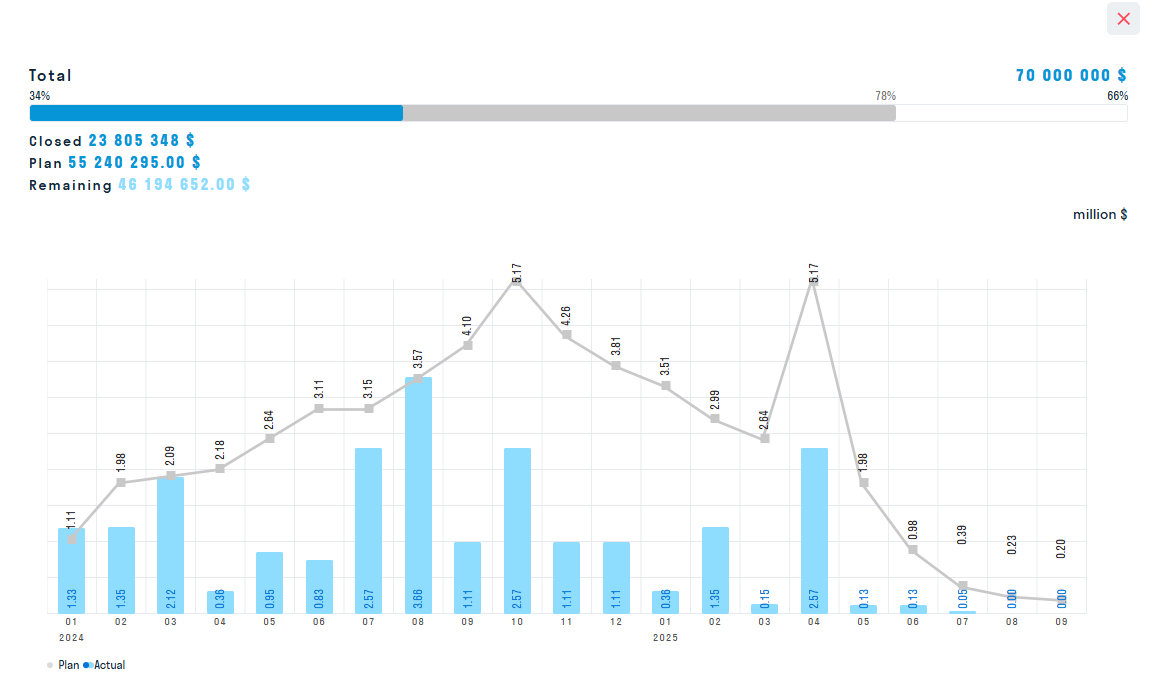
Filling out the card is similar to filling out 14_Worker dynamics
23_Cash disbursement by month with forecast - visualization of data on how much was actually paid and/or planned, as well as taking into account adjustments to the project budget.
Displaying a card in user mode
In report viewing mode:
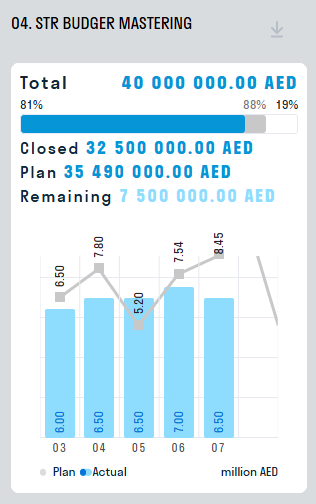
When opening a card:
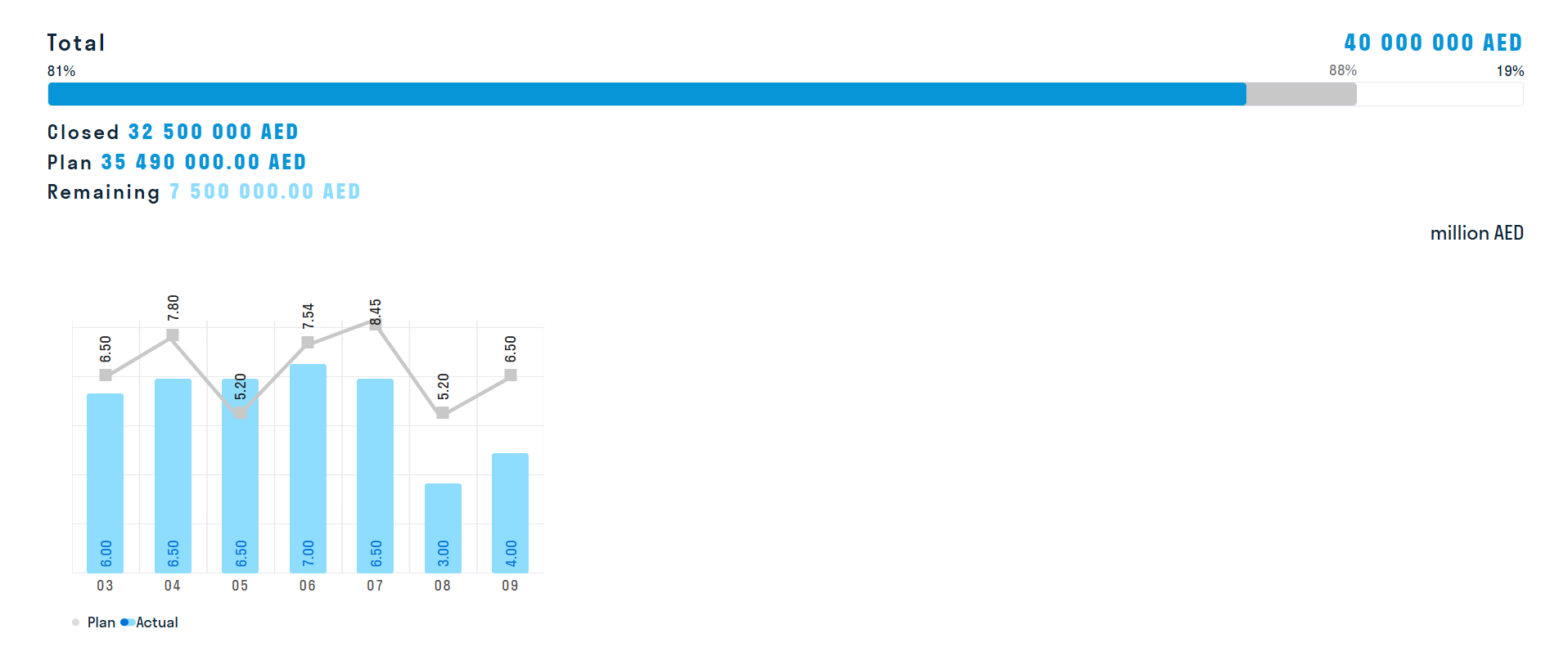
Filling out a card is similar to filling out 14_Worker movement

< DASHBOARD. Cards 10. General | DASHBOARD. Cards 30. Deadlines >