< SIGNAX. License Agreement | SIGNAX. Support >
¶ Possible errors when working with SIGNAX DOCS
- In order to carry out self-diagnosis of errors when working with SIGNAX DOCS, you need to use the developer console in your browser.
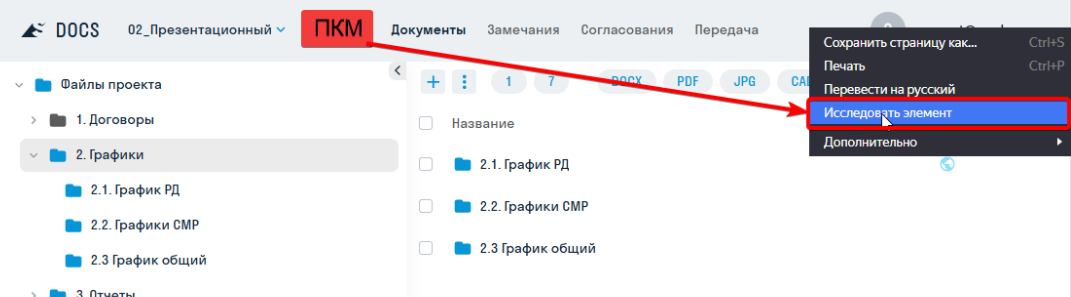
To open the console, right-click on the site header and select “Inspect Element” (or use the hotkey “F12”)
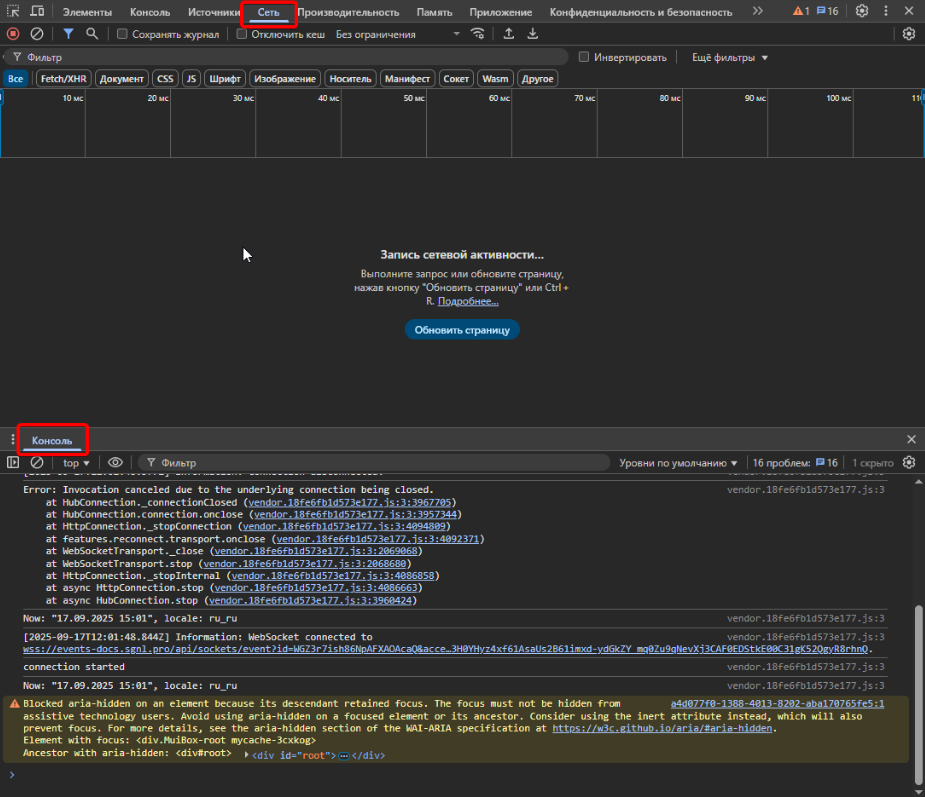
- In the console that opens, you will need the “Network” and “Console” tabs
-
Refresh the page in the browser (F5) so that the console begins tracking your activity
-
Try to perform the action that caused the error.
-
The Error will be displayed in the "Console" tab - it is marked in red
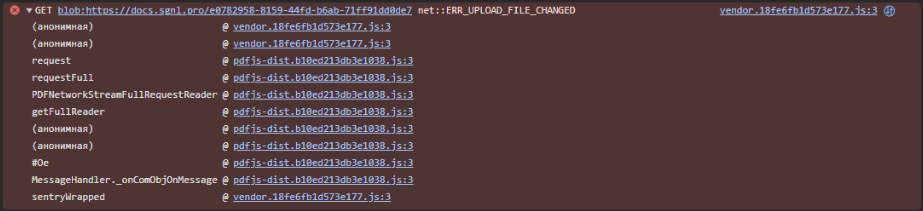
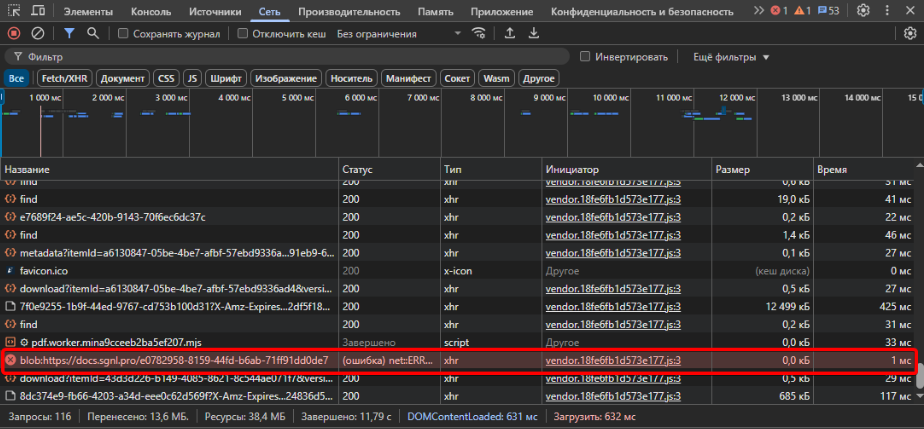
- The request that caused the error will be displayed in the "Network" tab. It will also be marked in red
-
Refer to the table of the most common errors, there may already be a ready-made solution.
-
If you did not find a solution to your error in the table, then contact the SIGNAX technical support TG bot https://t.me/signax_ai_bot. Please attach screenshots from the “Console” and “Network” tabs to your request, and also describe the actions you are trying to perform
| User Action | Error Code | How to fix |
|---|---|---|
| Opening a model in Forge Viewer | downloadAndReplaced: failed to fetch | Enable Forge viewer proxying in the top-right corner. |
| Opening a model in Forge Viewer | ERR_connection_reset | The connection to the viewer is being blocked. Check the hosts file <br>c:\windows\system32\diverts\etc\hosts and remove the following entries from it: https://developer.api.autodesk.com https://cdn.derivative.autodesk.com https://fonts.autodesk.com |
| Opening a model in Forge Viewer | Cannot read properties of undefined(reading 'pivot') | There is an error in the published file. We recommend checking the publishing settings in Revit and uploading a new version of the model to DOCS. |
| Opening a model in Forge Viewer | Failed to create a Viewer: WebGL not supported | Enter chrome://flags into the address bar and enable WebGL Draft Extensions. |
| Processing in the model in Forge Viewer | ForgeModelNotInErrorState | The model is already in the processing queue; please wait for it to be processed. |
| Downloading file | Network Error | 1. Check for VPNs or proxies on your network and disable them 2. Check your browser extensions and try disabling them 3. Check file names for invalid Windows symbols |
| Downloading file | ERR_RESPONSE_HEADERS_MULTIPLE_CONTENT_DISPOSITION | Check the file names for invalid Windows symbols |
| Opening a .doc or .xls file | File not found | The .doc and .xls formats are not supported in DOCS; please convert them to the more modern .docx and .xlsx formats. |
| Opening files | Network Error | Check for VPNs or proxies on your network and disable them Update your browser Restart your computer |
| Opening files | Failed to load PDF file ERR_UPLOAD_FILE_CHANGED |
1. Try opening the file in Incognito mode 2. Check the threat log of your Kaspersky antivirus How to add DOCS to the list of allowed sites |